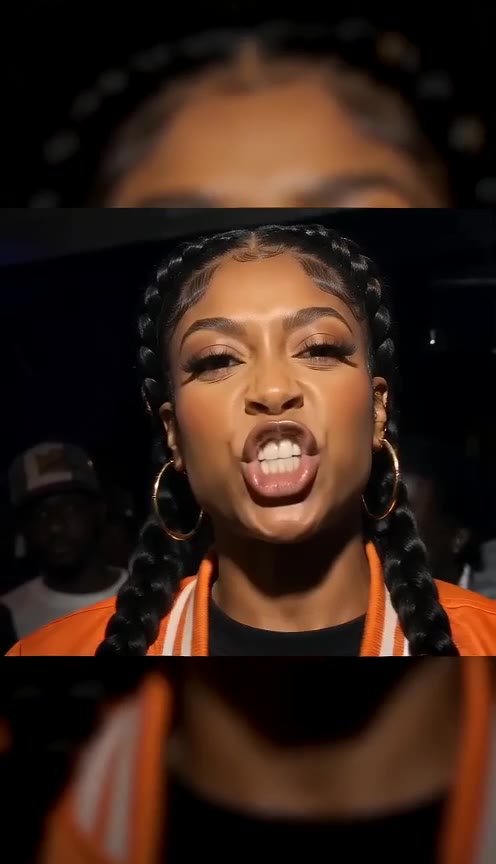
Orange-jacket freestyle
01
 RapDirector
Lean into the lens. Wide eyes, quick head tilts, and a whole room behind you.
Adding your photo opens Studio with this reference video.
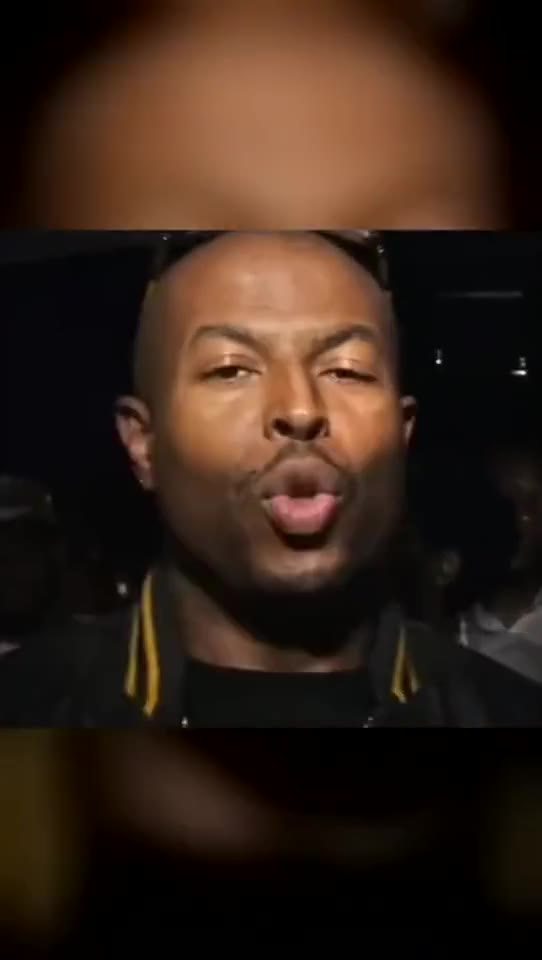
Check One Check Two, also searched as Check One Two AI or the JME rap trend, is about the face-to-camera performance: expressive eyes, fast head movement and a rapper leaning right into the lens. This template follows that close framing and packed-room energy with your portrait as the lead.
The face fills much of the frame, so start with a sharp, well-lit portrait. Keep both eyes and the mouth visible. A head-and-shoulders photo gives the model clear facial detail without a busy scene competing for attention.
Start with your photoThe movement starts straight away and stays close to the camera. The template uses an eight-second cut of the JME freestyle reference, keeping the vocal timing with the close-camera performance. Choose landscape to leave room for the crowd, or vertical for a tighter social post. Add a brief expression cue if you want more playful or more serious energy.
Start with your photoThis is a close-camera rap, not a static talking portrait. The lean-in, eye contact and quick changes of expression make the effect recognisable.
Check One Check Two follows the freestyle in the night-crowd clip. The close-up, raised eyebrows and lean-in land on that vocal delivery.
Listen to the opening of the selected clip before choosing your photo. This is the freestyle version, rather than a new verse over a grime-style beat.
One portrait replaces the person closest to the lens. The surrounding faces provide the crowd reaction without taking over the verse.
Choose an unobstructed head-and-shoulders photo. The expression changes quickly, so eyes and mouth should stay visible through the eight-second sequence.
Pick an evenly lit portrait without sunglasses, a hand over the mouth or a heavy beauty filter.
Leave a little space around the hair and chin. A face that is already cropped at the edges has less room to move.
Use one person per photo. The template supplies the background crowd; you do not need to upload a group.
Pick a direction to add to your video. You can edit it before continuing.
Try a sharper, less tightly cropped portrait. Keep extra directions about expression rather than asking for a stronger lens distortion.
Use the speaker control on a sample with sound. Hover or focus it to adjust the volume; videos start muted.
Use One photo in Studio and choose Upload or record. Add your audio there instead of expecting a portrait to supply a voice.
Choose one clear image with the face, hair and upper body visible.
Keep the 8-second performance. Choose your model, quality and format, then add an optional direction.
Your photos and settings arrive together. Review the credit price, create the video, then play and download the result.
Check One Check Two is a close-camera rap template built around the matching vocal, direct eye contact and quick facial expressions. One uploaded portrait replaces the featured lead; the reference supplies the crowd and movement behind that person.
Create a two-person performance insteadThis template follows one lead near the lens, even when other people are visible behind them. A duet assigns separate parts to two featured performers. Choose the one that matches who you want to perform.
No. A clear portrait of the lead is enough. Leave room around the face and avoid a group photo that could make the intended person ambiguous. The chosen video provides the surrounding scene.
Yes. Both names are used for this close-camera rap trend. You do not need a separate template for each spelling.
One. It becomes the featured rapper; the people in the background keep their own identities.
The selected reference contains the JME freestyle sound. The template follows its words, beat and vocal timing rather than asking for a new verse. For your own words or voice, use One photo in Studio.
You can try a clear portrait of your own character with visible eyes and mouth. Keep its face large enough for the close-camera expressions.
The face comes very close to the lens. A sharp portrait gives the model more detail to preserve during head turns and changes in expression.
Use One photo in Studio for custom lyrics or your own audio. The template mode keeps the selected video’s performance and duration.
You can choose a template, add portraits and adjust the settings before signing in. Sign in when you are ready to generate. Your files and selections stay in this browser tab.
The credit estimate updates with the model, quality and duration. The workspace confirms the price before creation. Opening a template does not spend credits.
No. Your selected portraits, template, duration, format and extra direction travel together. You can review and change them in the workspace before creating.
Build a performance around your song, or write a verse for each person.